Pricing rules
For commercial admins. The rules say how much discount each role may give on a line without asking, and the lowest markup a line may have.
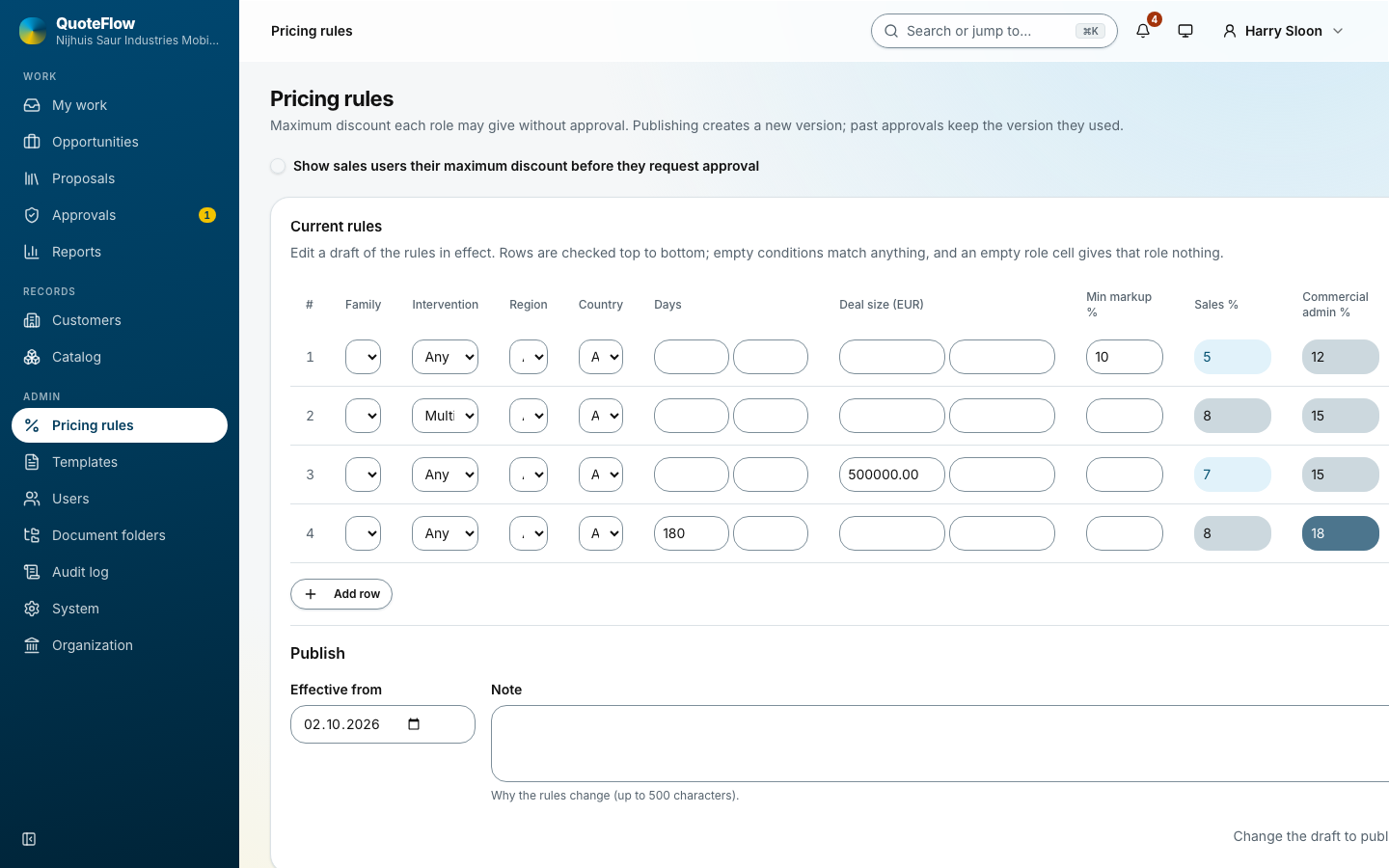
How a rule matches
Each row has conditions and limits:
-
Conditions: the technology family, the intervention type, the region, the country, the rental days (from, to) and the deal size (from, to). An empty condition matches anything.
-
Limits: the maximum discount % for Sales and for Commercial admin, and the Min markup %. An empty role cell gives that role nothing.
Every row whose conditions fit the line counts; the role’s authority is the highest limit among them, and when two rows give the same limit the one higher up names the rule. Put the narrow rules above the broad ones, and end with a row that applies to every line. Move up and Move down change the order.
A discount above the matching row’s limit for the salesperson’s role marks the line Needs approval. The proposal cannot be marked ready until a commercial admin decides; see Approving discounts.
Publishing a new version
The page edits a draft of the rules in effect. When the draft is right, Publish: the date it takes effect from, and a note on why the rules change. Each publish makes a new version; Versions opens the history.
Past approvals keep the version they were decided under. When a new version takes effect, the owners of drafts whose lines now need approval are told.