The content admin’s guide
You keep what every proposal is built from: the catalogue, the datasheets, the water parameters and the templates. Prices are the commercial admin’s.
The catalogue
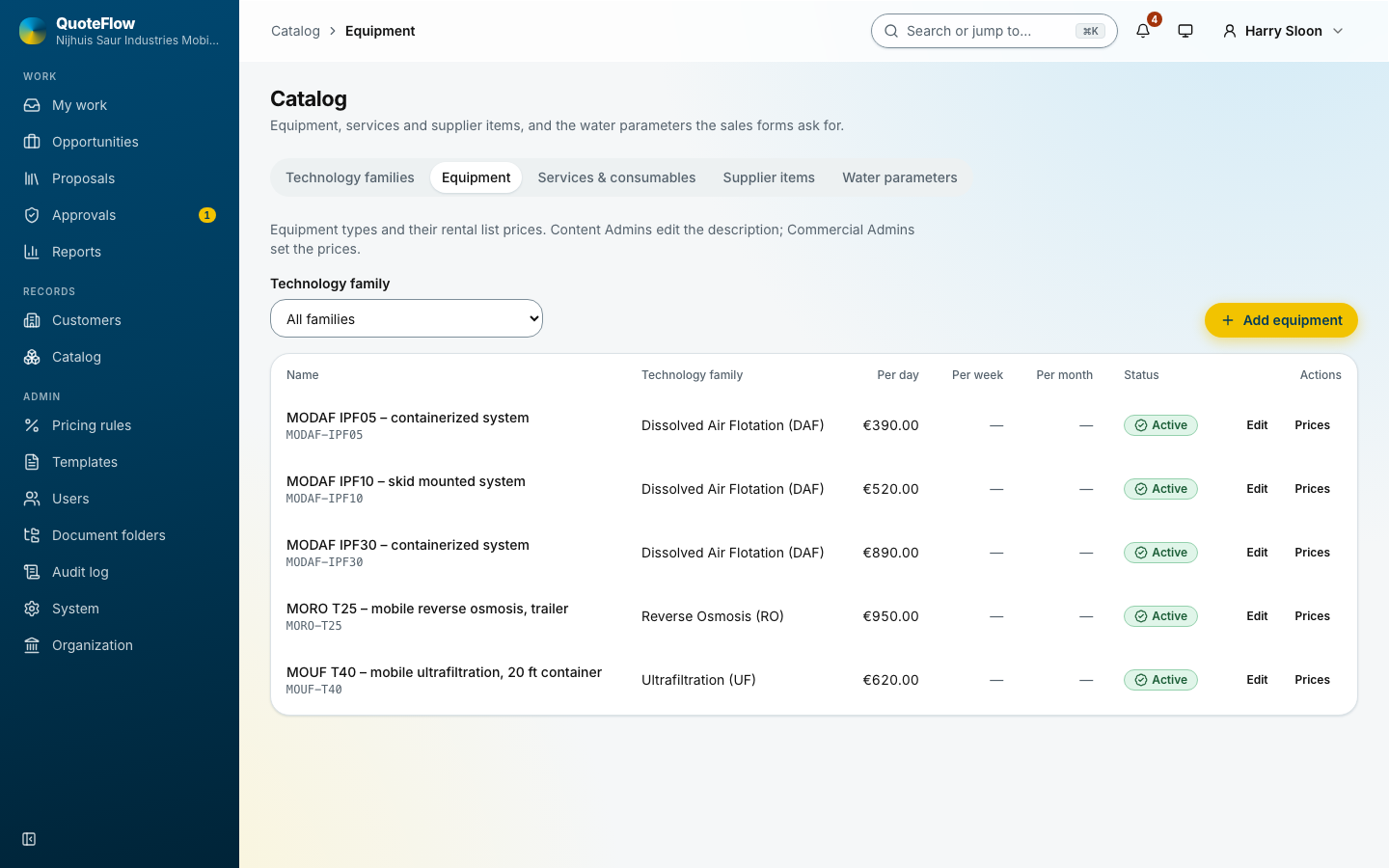
Catalog has tabs for technology families, equipment, services and consumables, supplier items and water parameters.
-
Technology families group the equipment (for example ultrafiltration, reverse osmosis).
-
Equipment: each unit with its code, name, description and specifications. Add equipment or a row’s edit button.
-
Services and consumables: mobilisation, commissioning, chemicals, filters.
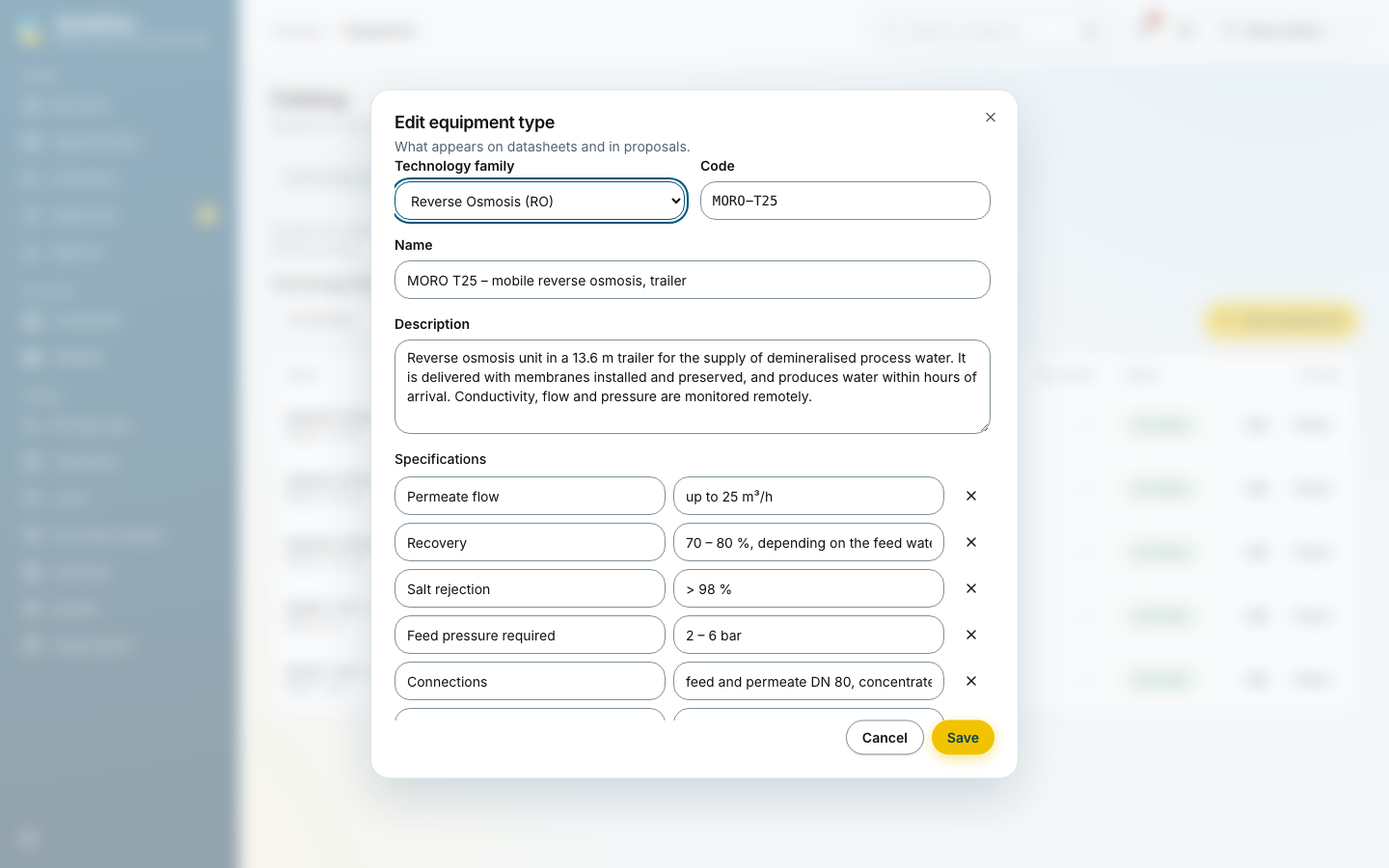
A unit’s photo and Datasheet file (a PDF) follow it into the proposal: the issued PDF carries the datasheets of the equipment it offers. See Catalogue.
Water parameters
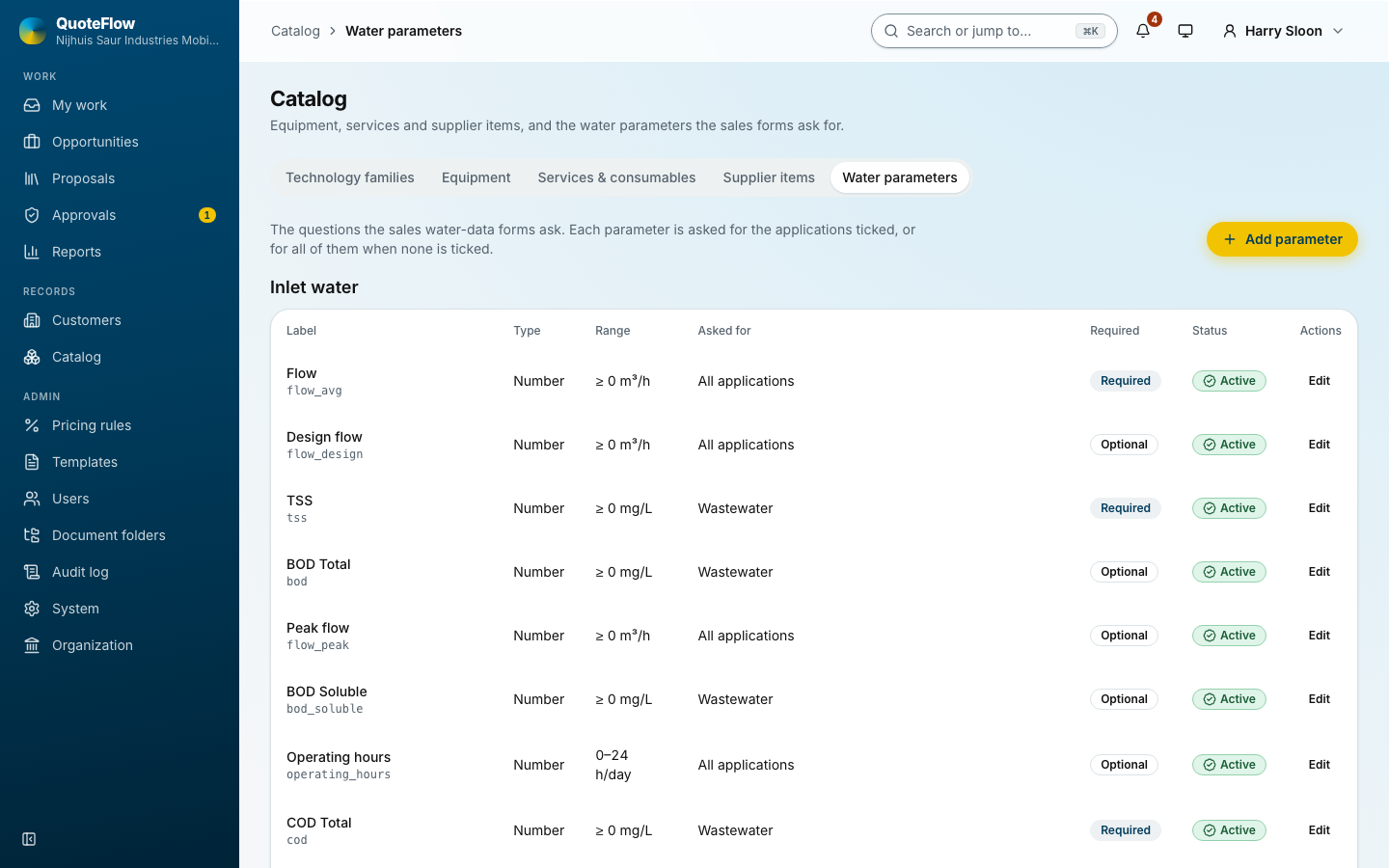
The values a salesperson records for a site: flows, temperature, pH, hardness and the others, with the unit, the valid range, the applications they apply to and whether they are required. A required value must be entered before a proposal can start. See Water data.
Templates
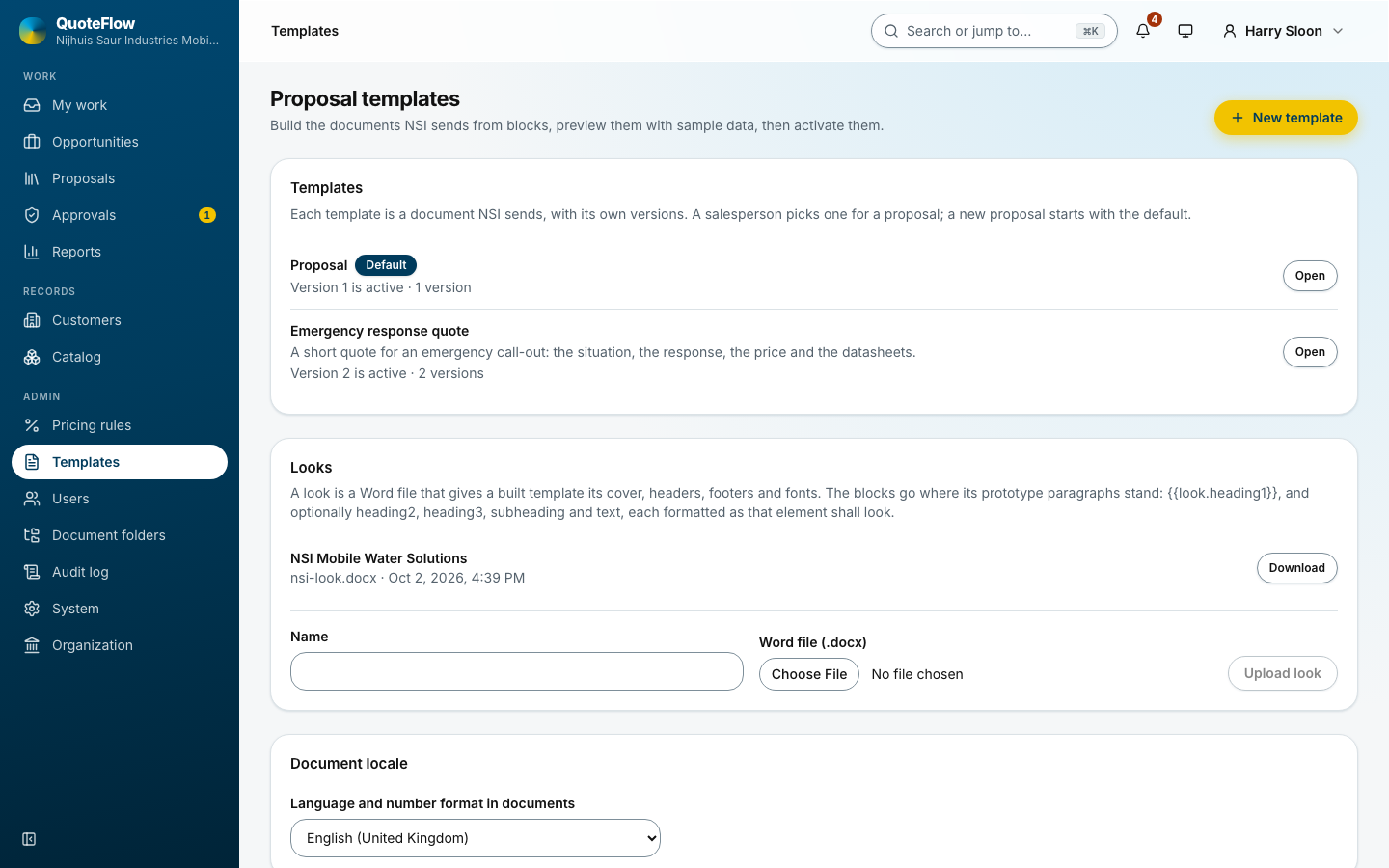
Templates decide what a proposal looks like. Each has versions; one version is active, and a new proposal uses the default template.
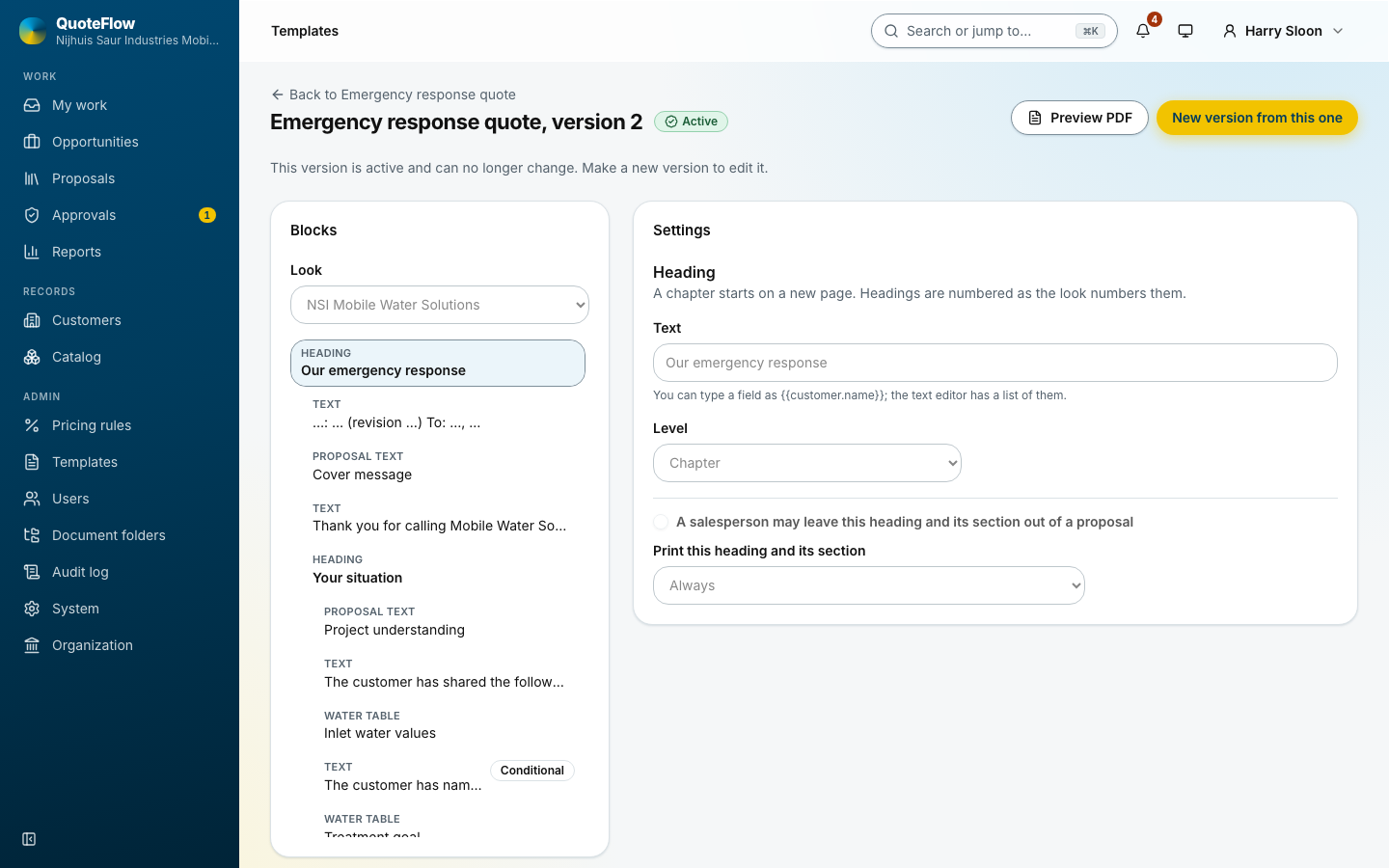
The builder puts the document together from blocks: headings, text with fields, the price tables, the water table, pictures and datasheets. Blocks can be optional, so the salesperson can leave them out when issuing. The preview beside it shows the document with sample data. An active version cannot change: New version from this one, edit, then Activate. See Templates.