The salesperson’s guide
From the customer’s call to the issued proposal, and on to won or lost. You see the customers and opportunities of your region or country, and you issue your own proposals.
Start the day in My work
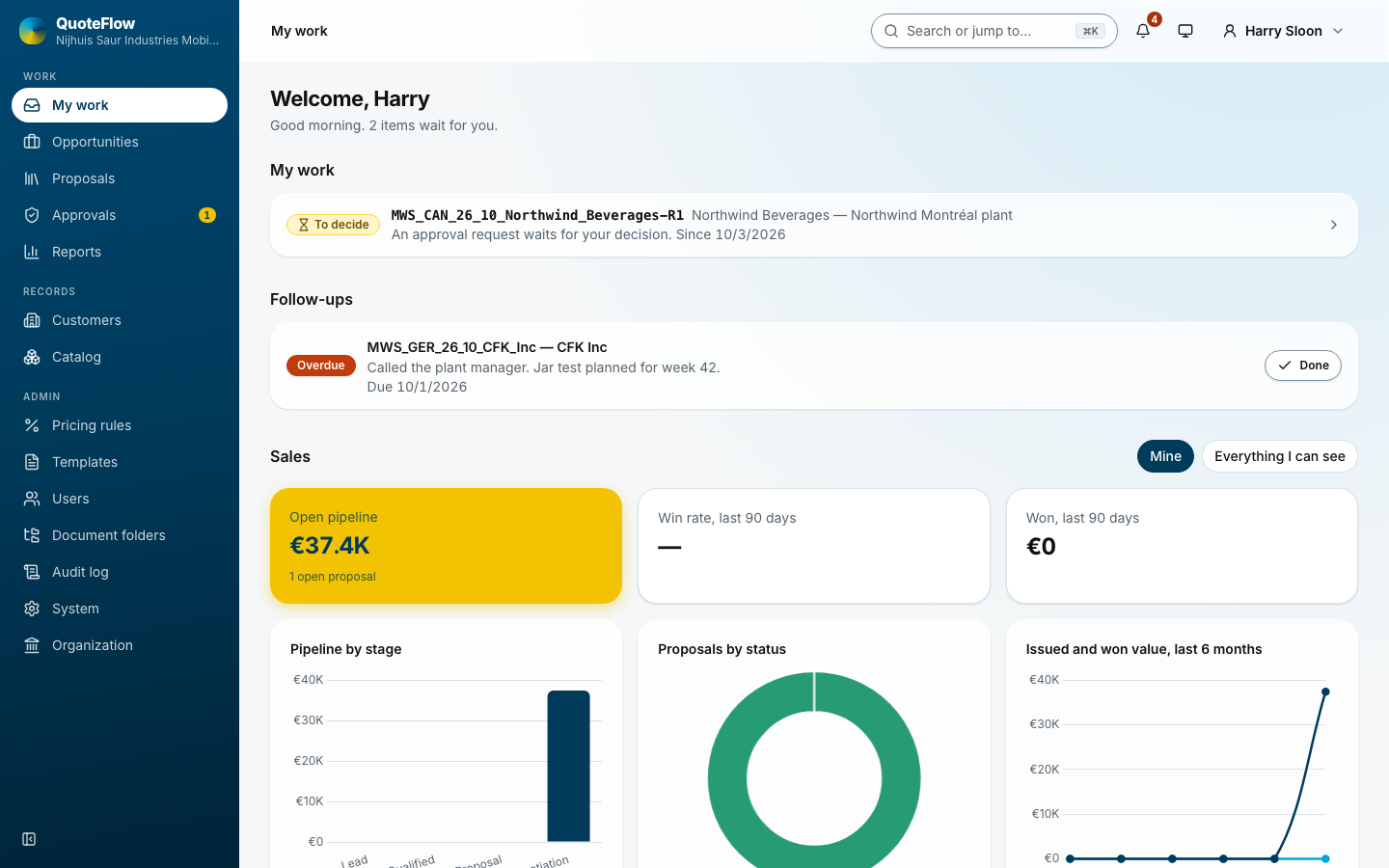
My work lists what waits for you, the most urgent first: a rejected discount, a proposal due, a draft that needs approval, a proposal ready to issue, an offer about to expire. Each line opens the place to act. Below it are your follow-ups and your figures. See My work.
1. Record the request
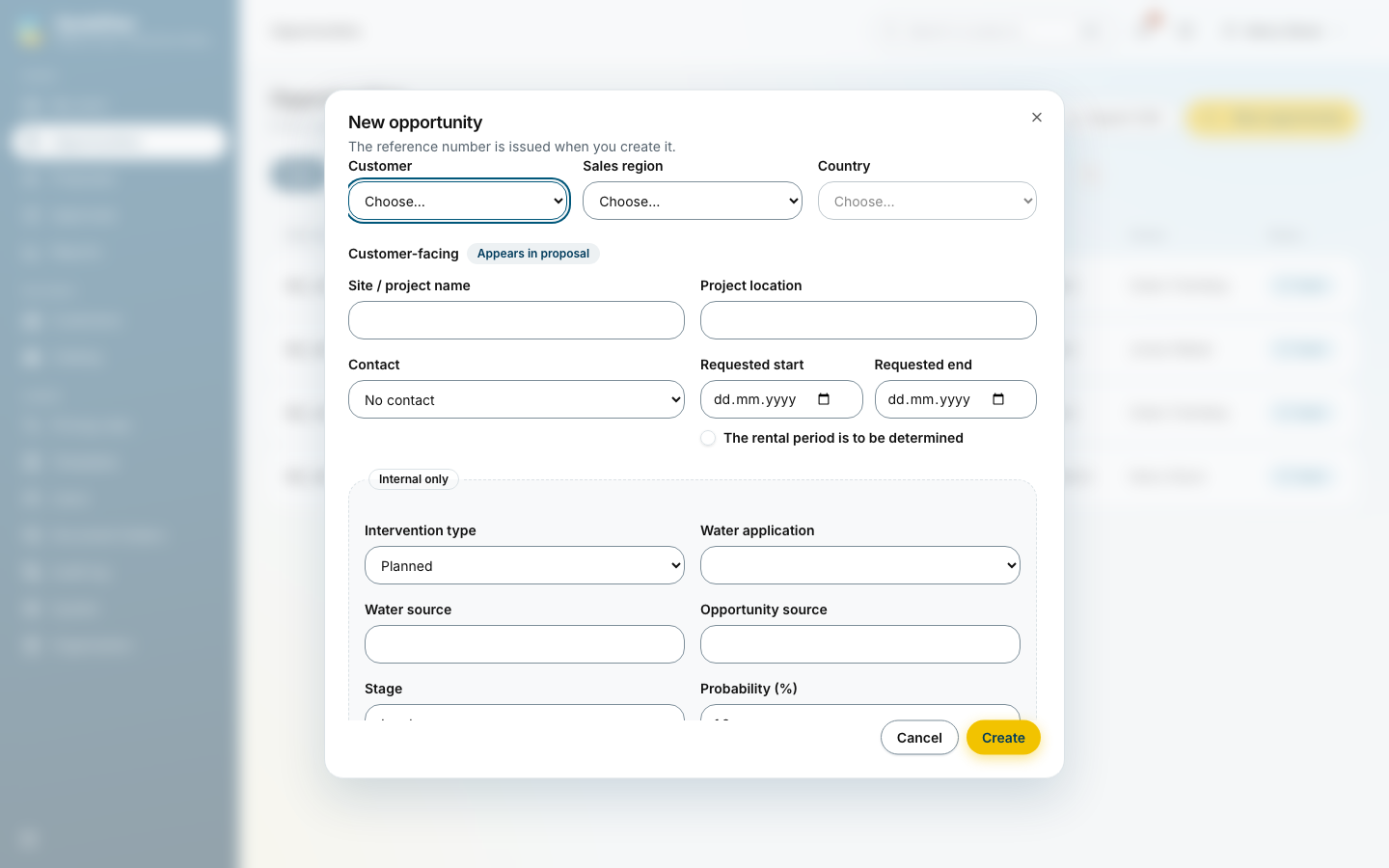
Opportunities → New opportunity. Type the customer’s name: an existing customer is offered, a new one is saved with the opportunity (street, postal code and city are enough to start). Then the region and country, the site, the contact, the requested period, the intervention type, the water application and the expected order date. Create gives the opportunity its reference.
When the customer named a date for the proposal, set Proposal due on the opportunity. My work and the bell remind you before it, until the proposal is issued.
2. Enter the water data
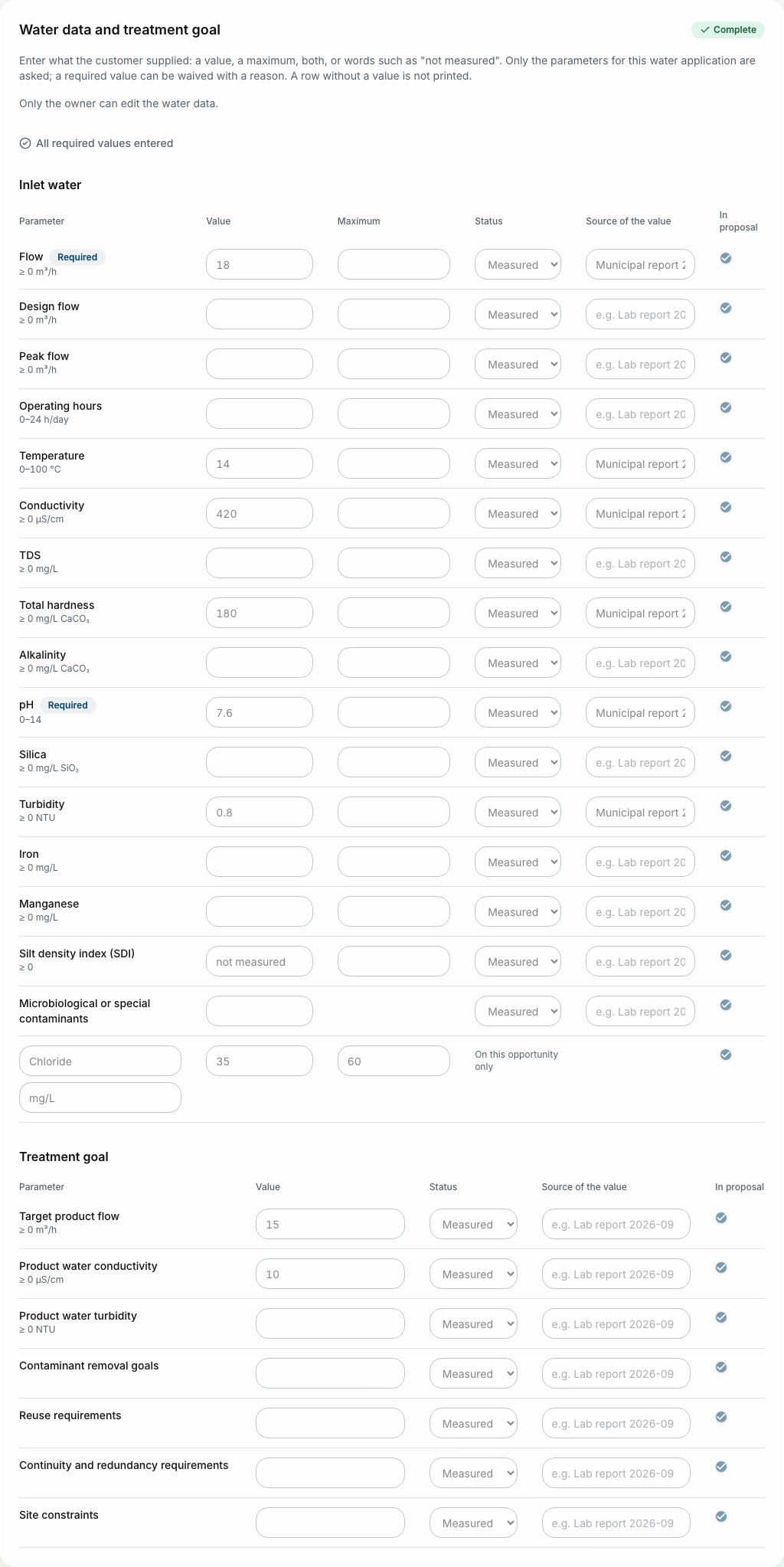
The water parameters for the application, inlet and treated water. QuoteFlow says which required values are missing; the proposal can start once they are in. See Water data.
3. Log what happens
Under Activities on the opportunity: a call, a visit, an email, with what happened and, if needed, a follow-up date and who follows up. Follow-ups come back in My work. See Customers and activities.
4. Build the proposal
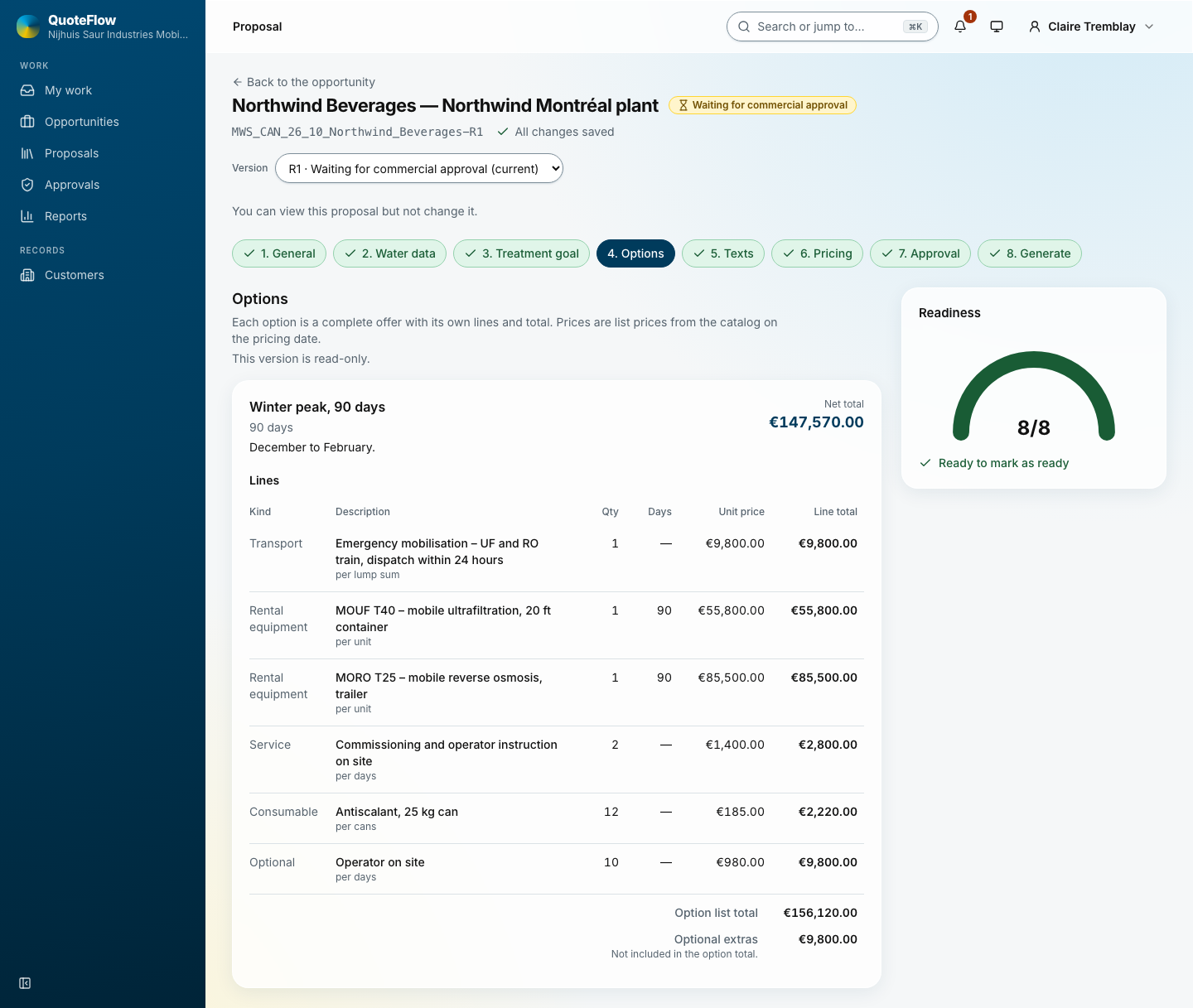
Proposal on the opportunity, then Start proposal, or Start from a past proposal to copy the options and lines of an earlier one at today’s prices, or Start from a Word document to read in a proposal written in Word. The builder has steps on the left; each says what is still to do.
-
Options: one or more ways to solve the customer’s need, each with its duration and lines. Add line picks rental equipment, services and consumables from the catalogue at today’s list price.
-
Texts: the cover message, the understanding of the project, the process description. Standard texts come from the template.
-
Pricing: a discount per line. Above your authority, the line is marked Needs approval.
-
Preview: the document as the customer will get it, page by page, while you edit.
See Building a proposal.
5. Ask for approval
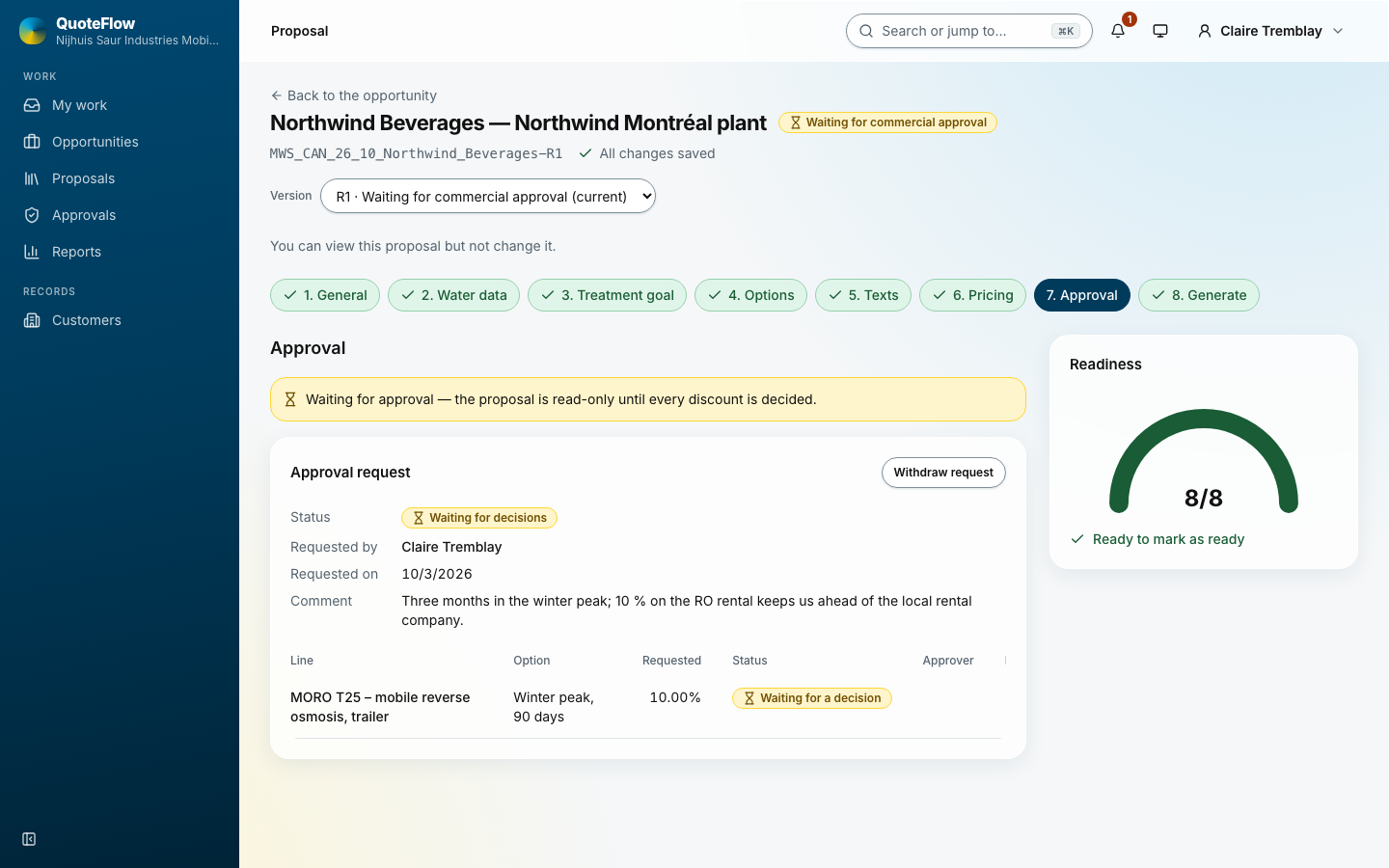
On the Approval step: Prepare documents for review makes the Word file and the PDF the approver reads; write a comment and Request approval. The proposal is read-only until the commercial admin decides. The decision comes to the bell and to My work; a rejection carries the reason.
6. Issue
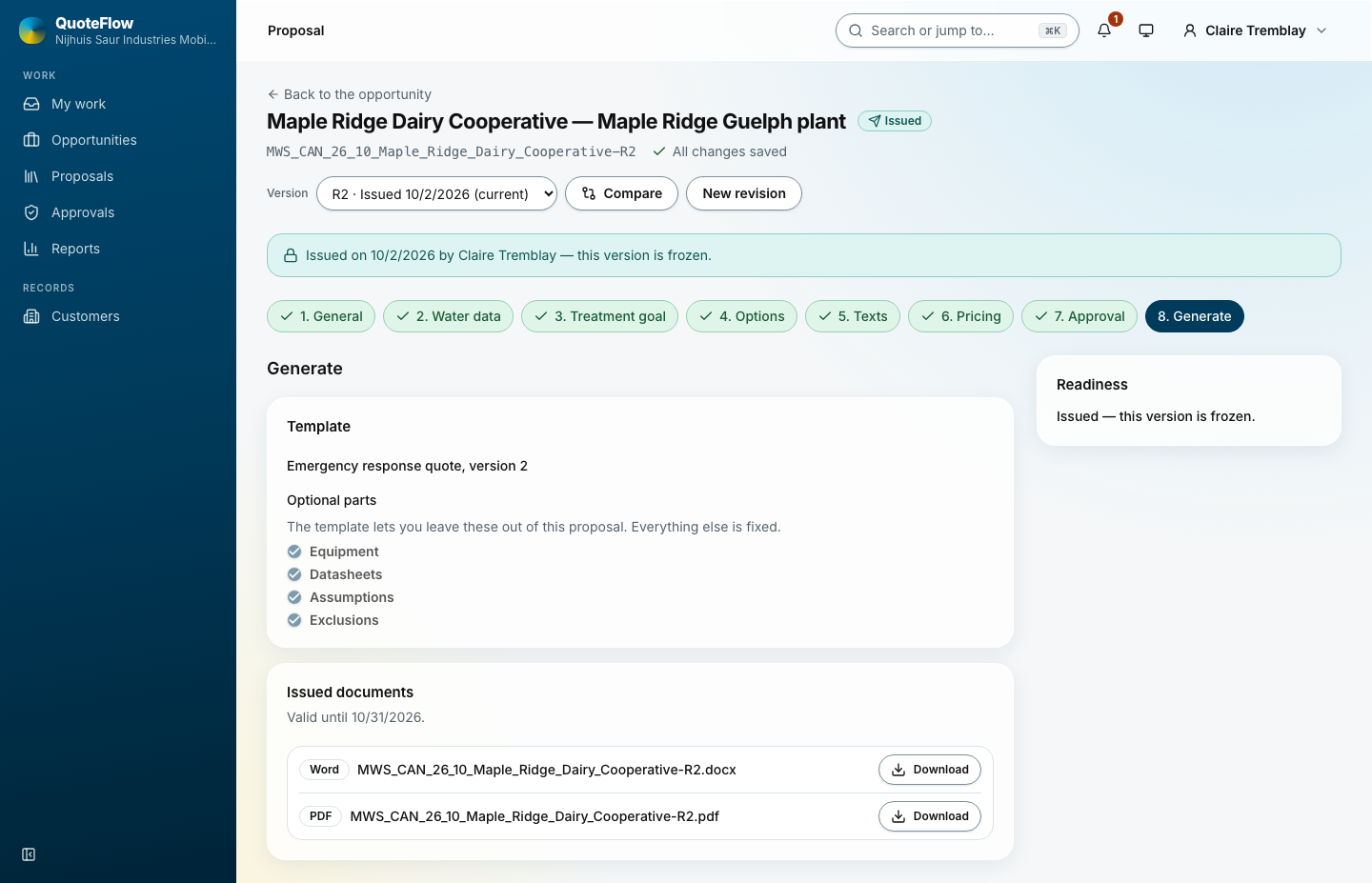
Mark ready on the last step, then Issue proposal. QuoteFlow makes the Word file and the PDF with the datasheets, stores them in the opportunity’s folder and freezes the version (R1). The proposal says until when it is valid.
7. Revise
New revision makes R2, a draft copy; R1 stays as issued. Approved discounts carry over. Compare shows what changed between two versions. See Building a proposal.
8. Close: won or lost
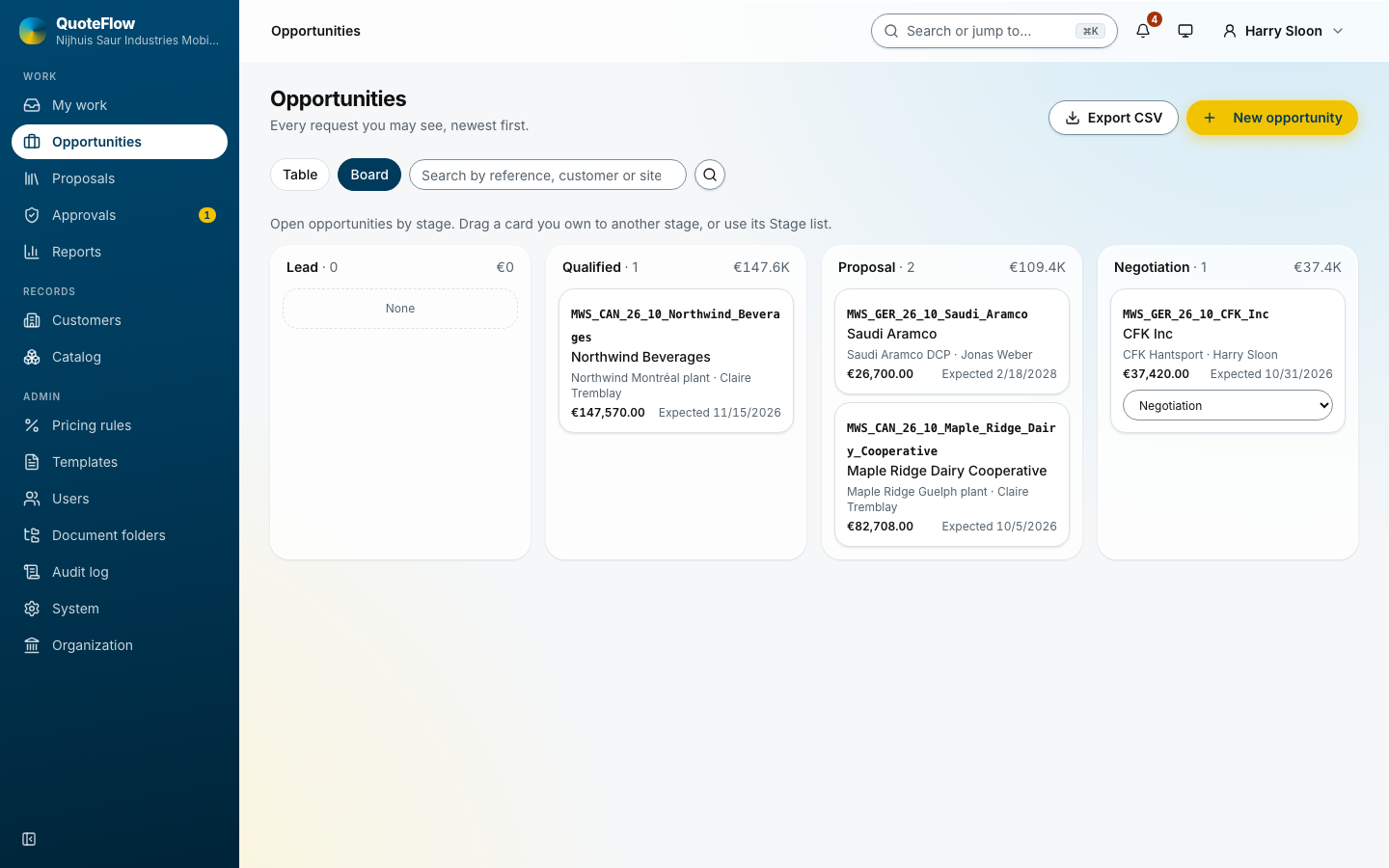
The board shows every open opportunity by stage; Move takes a card to another stage. On the opportunity, set the status:
-
Awarded/won: QuoteFlow asks which issued version the customer accepted.
-
Lost: the reason (price, timing, competitor and others) and a note. The reasons feed the win-rate report.
See Opportunities.