Water data
The customer’s analysis of the inlet water and the treatment goal, entered on the opportunity’s page. The parameters asked are those the content admin defined for the water application (Catalog, Water parameters); a required parameter needs a value or a waiver with a reason before the proposal can be marked ready.
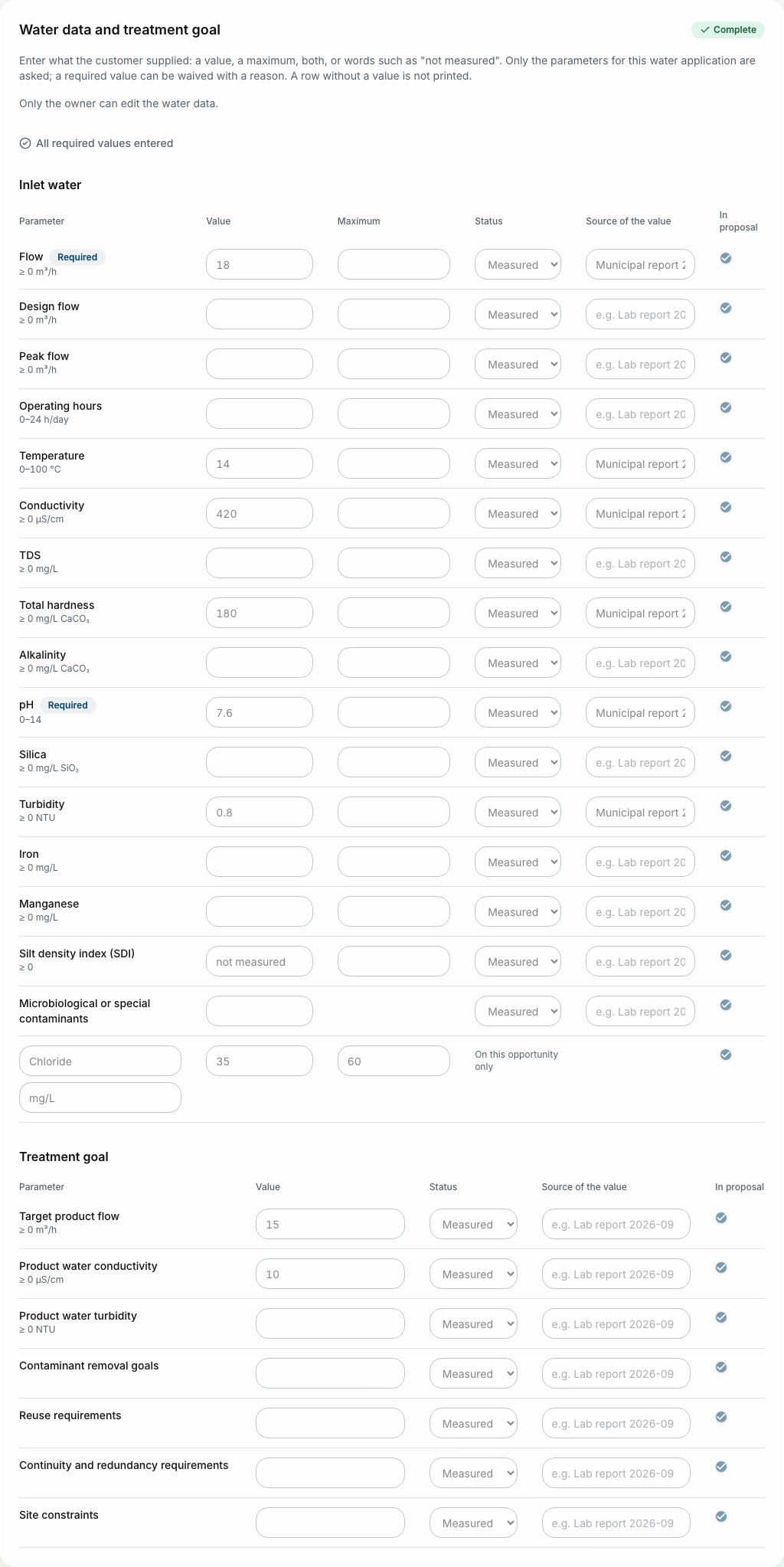
One row
-
Value: a number (the typical or average figure), or words where the customer gave none: "not measured", "< 0.1".
-
Maximum: beside the number, for the inlet water. An average alone, or an average and a maximum; the document prints the Maximum column only when a printed parameter has one.
-
Status: measured, estimated, missing, or waived with a reason.
-
Source of the value: where it came from, for example "Lab report 2026-09".
-
In proposal: untick to keep the value on the opportunity without printing it.
A row without a value is not printed.